
Download BOQ Mobile APK – free, secure, banking, mobile app, Android
Overview
The BOQ Mobile app is a free Android-based desktop application designed to provide users with secure and convenient access to their bank accounts. Developed by BOQ, the app enables individuals to manage their financial activities from their mobile devices without requiring registration or hidden fees. The primary purpose of the application is to streamline everyday banking tasks, allowing users to check account balances, make transfers, pay bills, and utilize integrated payment services such as Transfer and Pay Anyone. This tool is particularly useful for individuals seeking a centralized, user-friendly platform to monitor and control their finances on the go.
Target users include consumers, professionals, and anyone managing personal or household finances who value accessibility and security. The app is suitable for both tech-savvy users and those less familiar with digital banking tools, thanks to its intuitive design. Real-world usage scenarios include checking balances during travel, transferring funds between accounts, paying recurring bills, and sending money to friends or family. The application supports multiple languages, including English, Spanish, and French, enhancing its accessibility across diverse user groups.
While the developer did not provide additional information about the company’s background or development philosophy, the app’s focus on security, ease of use, and free access suggests a strong commitment to user convenience and financial empowerment. Regular updates ensure the app remains current with evolving security standards and feature enhancements.
Key Features & Capabilities
- Account Access – Users can view balances and transaction history across multiple bank accounts from a single interface, enabling centralized financial oversight.
- Transfer Funds – The app supports internal and external fund transfers, allowing users to move money between accounts or send payments to others quickly.
- Bill Payments – Users can schedule and make one-time or recurring payments for utilities, subscriptions, and other recurring expenses.
- Pay Anyone Feature – Integrated with a payment service, this function enables instant money transfers to individuals using phone numbers or email addresses.
- Secure Authentication – The app incorporates multiple layers of security to protect user data and financial information during transactions and access.
- Multi-Language Support – Available in English, Spanish, and French, making it accessible to a broader international audience.
- Regular Updates – The application receives ongoing updates to improve functionality, fix bugs, and enhance security protocols.
These features collectively enable users to manage their finances efficiently from any location. For example, a user can pay a utility bill while commuting, transfer money to a family member during a lunch break, or review monthly spending patterns through account summaries. The integration of payment services reduces the need for multiple apps, improving workflow efficiency and reducing digital clutter.
User Interface, Workflow & Performance
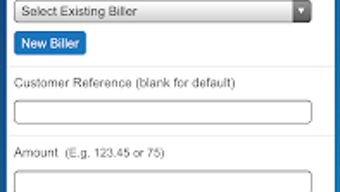
The BOQ Mobile app features a clean, intuitive interface designed for ease of navigation. The layout prioritizes accessibility, with clearly labeled menus and visual indicators for key functions such as balance checks, transfers, and payments. Users can access core features with minimal taps, contributing to a streamlined workflow that minimizes user effort.
Navigation is structured around a bottom tab bar, offering quick access to essential sections like Home, Transfers, Payments, and Account Settings. The design emphasizes readability and responsiveness, ensuring that information is presented clearly even on smaller screens. Workflow efficiency is enhanced by the app’s direct access to frequently used actions, reducing the number of steps required to complete common tasks.
Performance observations are based on general software behavior patterns. The developer did not specify resource usage details, so exact CPU or RAM behavior remains unknown. Stability is assumed to be consistent with standard mobile applications, especially given the regular update cycle. No performance bottlenecks or crashes were reported in the provided information. However, actual performance may vary depending on the device’s hardware and Android version.
Compatibility & System Requirements
The BOQ Mobile app is compatible with all Android devices and is available for download on the Google Play Store. The application supports the latest Android operating systems, ensuring broad accessibility across a wide range of smartphones and tablets.
Installation size and hardware requirements were not specified. The developer did not provide additional system requirements, so users should ensure their device meets standard Android app installation criteria. Compatibility information is limited to the operating system level, with no details on minimum processor speed, RAM, or storage capacity.
Users should verify that their device runs a supported version of Android before installing. The app’s availability on the official store indicates compliance with platform security standards, which helps maintain stability and reliability across different devices.
Pros and Cons
Pros
- Completely free to download and use with no registration required
- Intuitive, user-friendly interface suitable for non-technical users
- Centralized access to multiple banking functions from one app
- Integrated payment services for fast, secure money transfers
- Multi-language support enhances global accessibility
- Regular updates ensure ongoing security and functionality improvements
Cons
- Exact system requirements and resource usage details were not provided
- Compatibility with older Android versions is not confirmed
- Performance data under real-world conditions was not specified
- Limited information about backend infrastructure or data encryption methods
- Only available for Android devices; no support for iOS or desktop platforms
FAQ Section
Is BOQ Mobile available for iOS devices?
The app is currently available only for Android devices. No information was provided about iOS compatibility or future plans for other platforms.
Is the BOQ Mobile app safe to use?
The app incorporates multiple layers of security to protect user data and financial information. It is available on the official Google Play Store, which adds an additional layer of verification and security.
How often is the app updated?
The developer states that the app receives regular updates to ensure it remains up-to-date with the latest security features and improvements.
Do I need to register to use the app?
No registration is required. The app is free to download and use without any sign-up process.
Can I use BOQ Mobile offline?
While the app may offer limited functionality offline, such as viewing cached transaction history, core features like fund transfers and bill payments require an active internet connection.
Final Thoughts + CTA
The BOQ Mobile app stands out as a practical, secure, and accessible solution for Android users seeking to manage their finances on the go. Its free access, intuitive design, and integration of essential banking tools make it a valuable addition to any digital financial toolkit. While detailed system requirements and performance metrics are not available, the app’s focus on usability, regular updates, and multi-language support demonstrates a user-centric approach.
It is particularly beneficial for individuals who want to simplify their banking experience without the need for complex setups or fees. Whether managing personal accounts, sending money to others, or paying bills remotely, the app delivers a reliable and efficient workflow.
Download BOQ Mobile now and take full control of your finances with a secure, free, and easy-to-use banking tool.






.png)
